TV app Beta 0.9.2
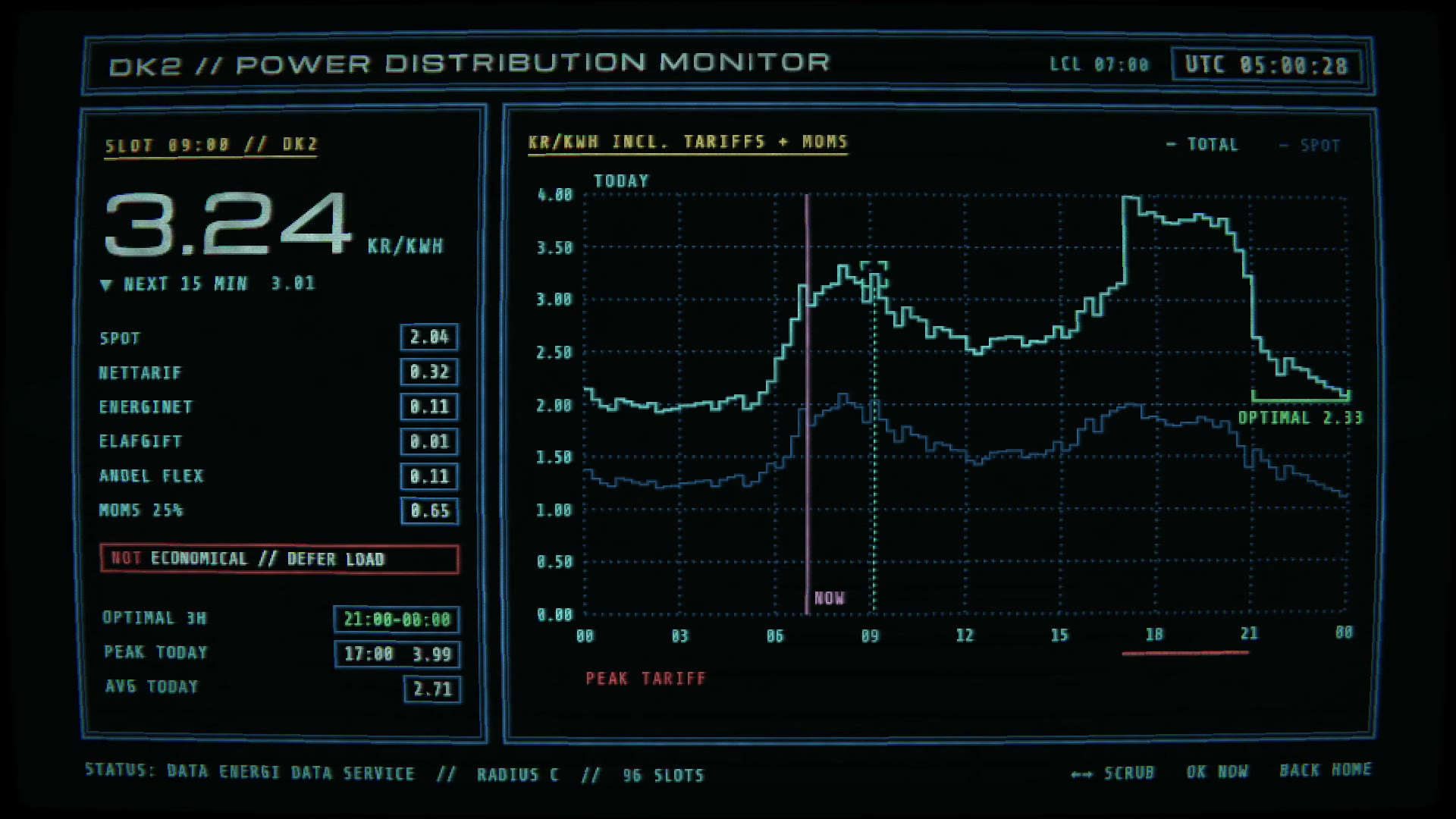
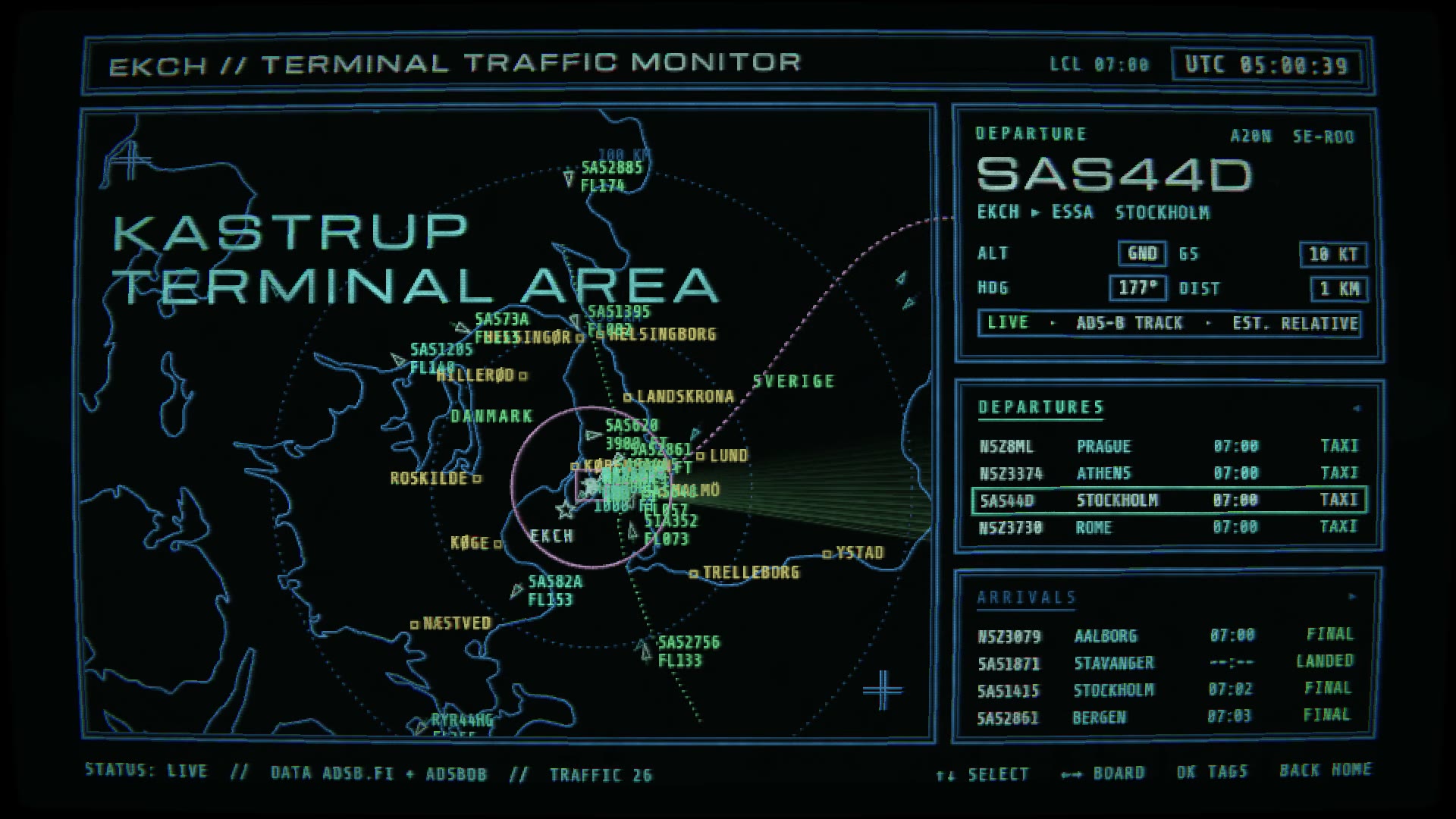
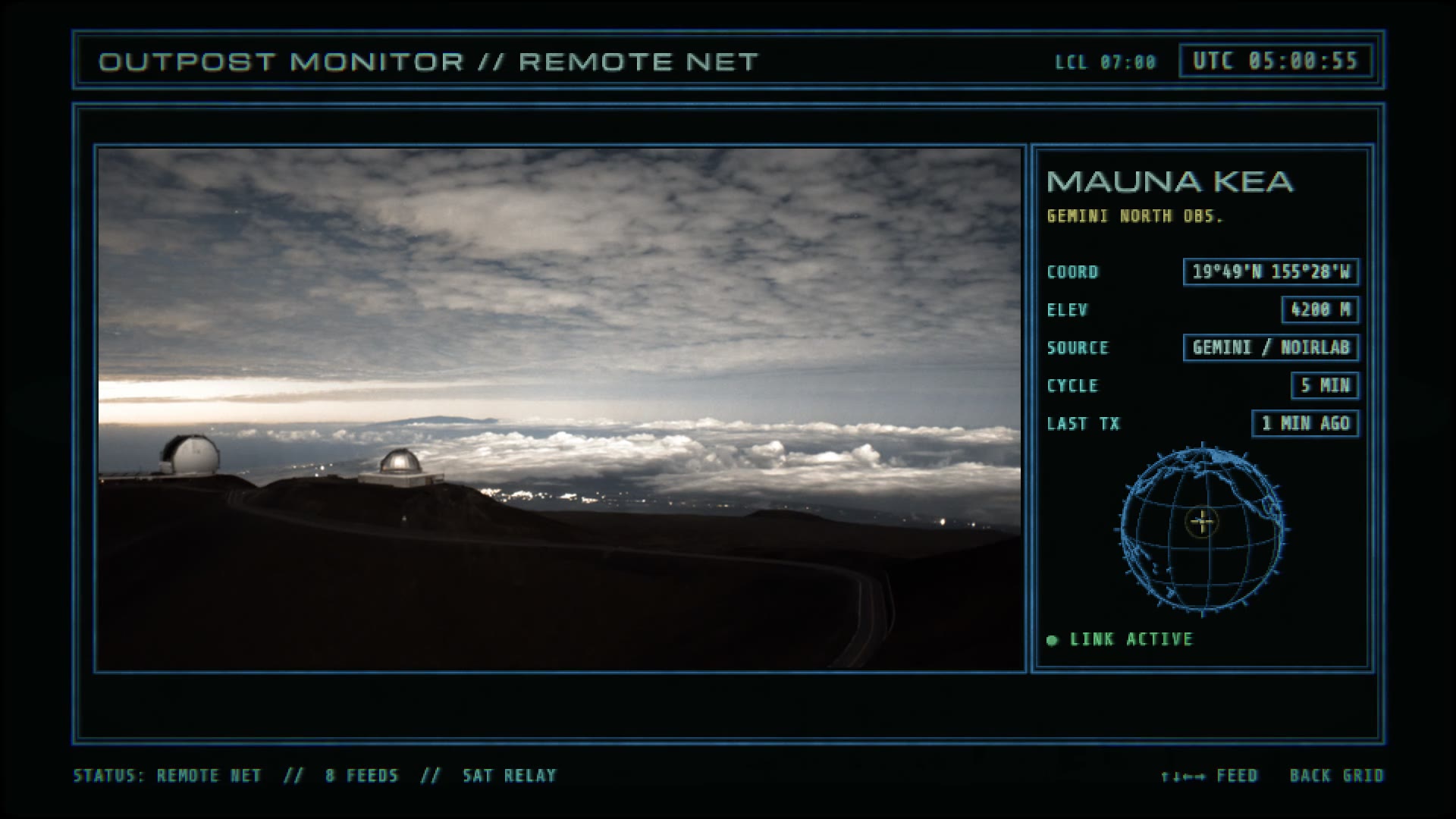
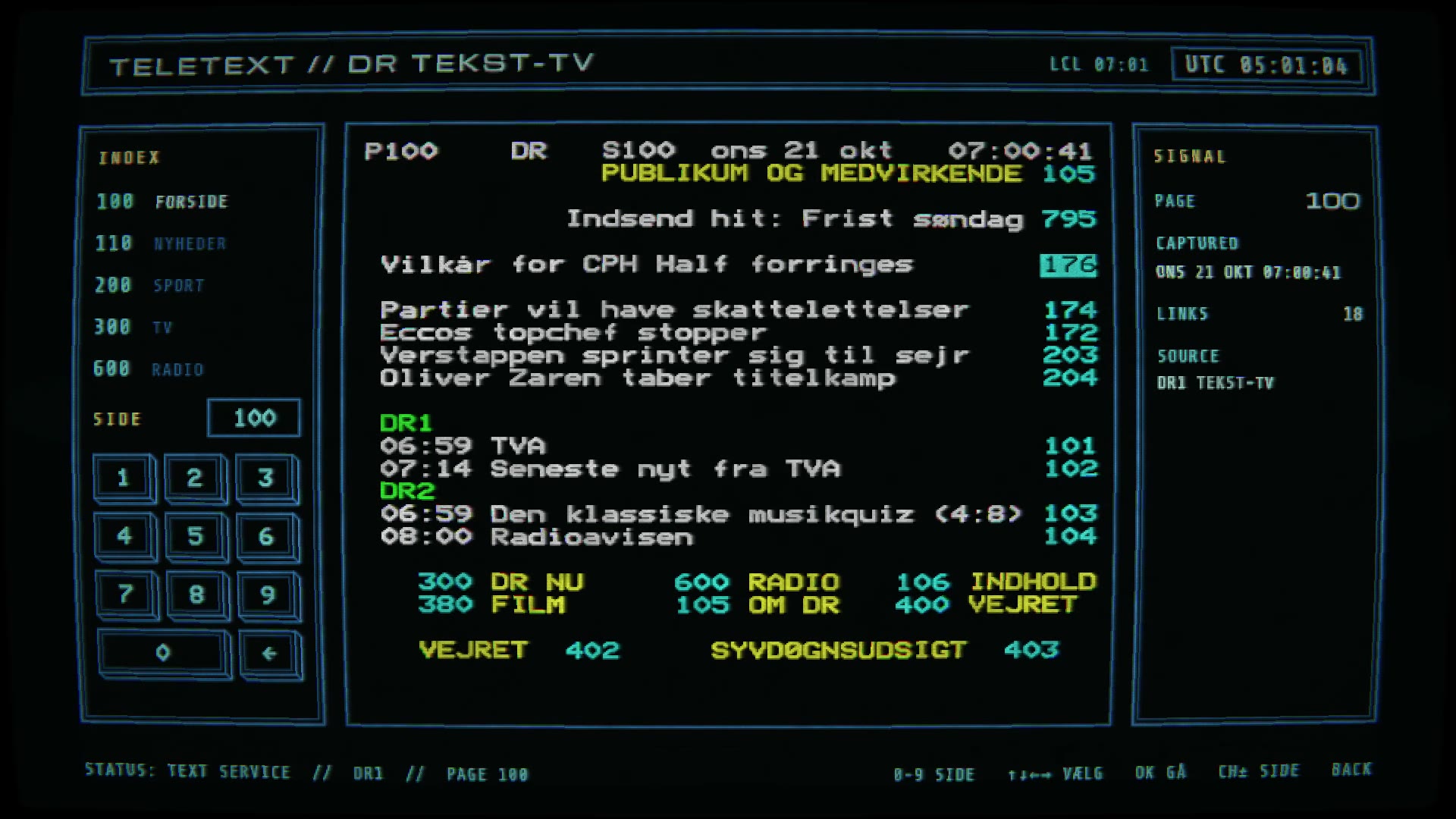
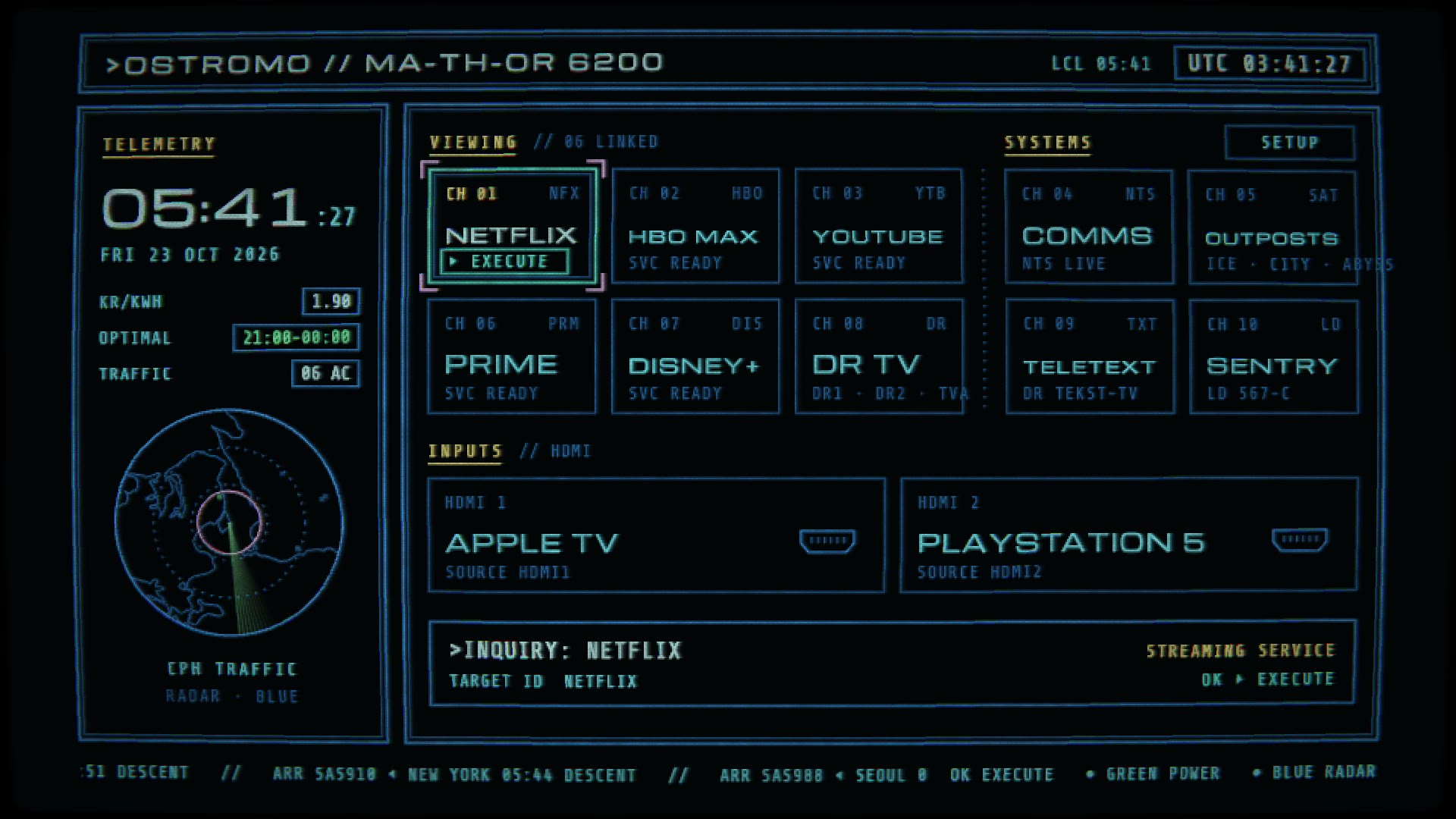
The first thing my TV shows when it turns on is a row of adverts and things I did not ask for. Ostromo replaces that with a home screen that looks like the ship computers in Alien and Aliens: blue vector lines on black, a slightly worn picture tube, and a boot card that plots itself on line by line. It still does the job of a home screen. It opens Netflix, YouTube and the rest, and switches to the Apple TV or the PlayStation. Around that are screens I actually look at: live flights over Kastrup, today's electricity prices, webcams at research stations, NTS radio and DR's teletext.
Screens
The home screen is a grid driven by the remote's arrow keys. The left six cells are for watching: Netflix, HBO Max, YouTube, Prime Video, Disney+ and DR TV. The four on the right open Ostromo's own screens. Under them sit the two HDMI inputs, and down the left side a telemetry column shows the clock, the current price per kWh and a small radar.
Every number on these screens is live. Nothing is made up for the look, except the labels that are there to sound like a 1979 spaceship.


The look
Everything is drawn into a canvas and then run through a WebGL pass that does what an old monitor did by accident. Bright lines leave a short smear behind them, the phosphor glows a little unevenly, the glass curves at the edges, the colours split slightly at the corners and there are scanlines. I kept turning the bloom down until it was gone. The film screens are sharp and a bit crude, not hazy.
The boot card plots its frame on in a second or so and then types three lines: the current price, the HDMI ports and STAND BY. It reads OSTROMO, which is the Nostromo with a letter missing, and which gave the app its name; it started out as UnterFace. The other names from the films are bent the same way: the ship's computer becomes MA-TH-OR 6200 and the sentry gun an LD 567-C. The typing is one short blip per letter, and apart from the boot, the launch box and the sentry screen the app is silent.
The picture changes with the screen. Live TV, the webcams and the deep-sea video are shown clean in a window with nothing laid over them, because a feed from Mauna Kea run through fake scanlines looks like a mistake rather than a style.
Sentry
A motion tracker on the left and the readout of a remote sentry gun on the right, modelled on the pair in Aliens. Most of the time nothing is there. The tracker pings, the log says NO MOVEMENT, and you can top up the gun while it is quiet.
Now and then, only while you are watching, contacts show up at the edge of the tracker and start closing in. You have about a minute. Order ammunition, which takes a while to reach the depot. Send a loader out to the gun, which you can only do with the gun on SAFE. Then remember to arm it again. When they come into range it fires in bursts and the rounds count down; when the first magazine runs dry you switch to the second. If one gets through, all you see from where you sit is the feed dying: static, the picture folding into a line, a dot, black.
Limits
Ostromo is installed with LG's developer mode, not from the app store, and apps installed that way are kept away from most of the system. When you quit Netflix the TV goes back to LG's own home screen, not to Ostromo. I tried having Ostromo's background service notice that and bring itself back; the TV refuses to tell a developer app which app is in front. The way back is a long press on a number key, which webOS lets you assign to any app, or the optional watcher in the release: running on a computer that stays on, it connects the way LG's phone app does, which is allowed to see what is on screen, and switches back to Ostromo when LG's home appears.
The same wall means it cannot read the list of installed apps, so each tile has to know its app's ID in advance.
Under the hood
webOS apps can be web pages, and this one is: plain JavaScript with no framework, drawing into a 2D canvas, with the CRT pass in WebGL. Most of the data sources do not answer a browser directly, so a Node service installed alongside the app fetches flights, prices, webcam stills and teletext pages and hands them over the TV's internal message bus.
The first version ran at 13 frames a second on the TV. Measuring on the set rather than guessing found the culprits: drawing letter spacing one character at a time, working out the day's price summary on every frame, and redrawing a full screen of text that changes once a second. With those fixed and the canvas drawn at half resolution it runs at about fifty.
Status
Ostromo isn't in LG's app store. You install it with LG's free Developer Mode, which any LG webOS TV has, and a computer on the same Wi-Fi. The install guide walks through it, either by hand or by pasting a prompt into Claude Code and letting it do the setup. On first start it opens in SETUP for your own apps and inputs.
Developer Mode sessions run out after a while, so open LG's Developer Mode app now and then to extend yours. Pressing Home still goes to LG's own home screen; an optional watcher in the release, running on a computer that stays on, sends it back. Making Ostromo the TV's home screen for good would mean rooting the TV, which is up to you and not something I support.
It's tested on one TV, mine. If it misbehaves on yours, open an issue on GitHub and say which model. The code, the guide and new versions are in the repository on GitHub, under the MIT licence: it's shared as I made it for myself, so expect to tweak it. To hear about new versions, watch it, choose Custom and tick Releases.
The look owes everything to the screens in Alien (1979), Aliens (1986) and WarGames (1983). Ostromo is a fan's homage and has nothing to do with the people who made them.