What it opens

Video and audio, plus four extras.

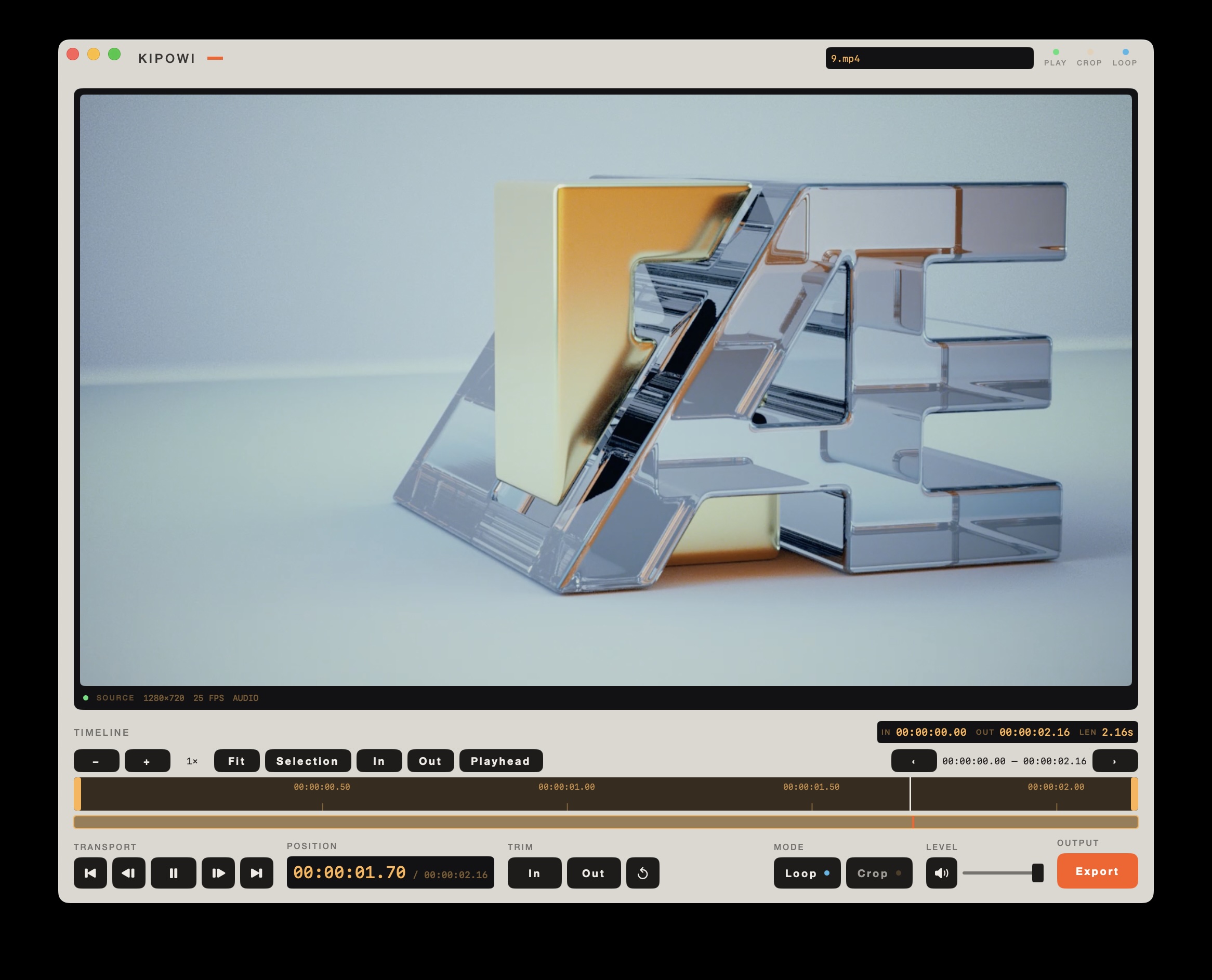
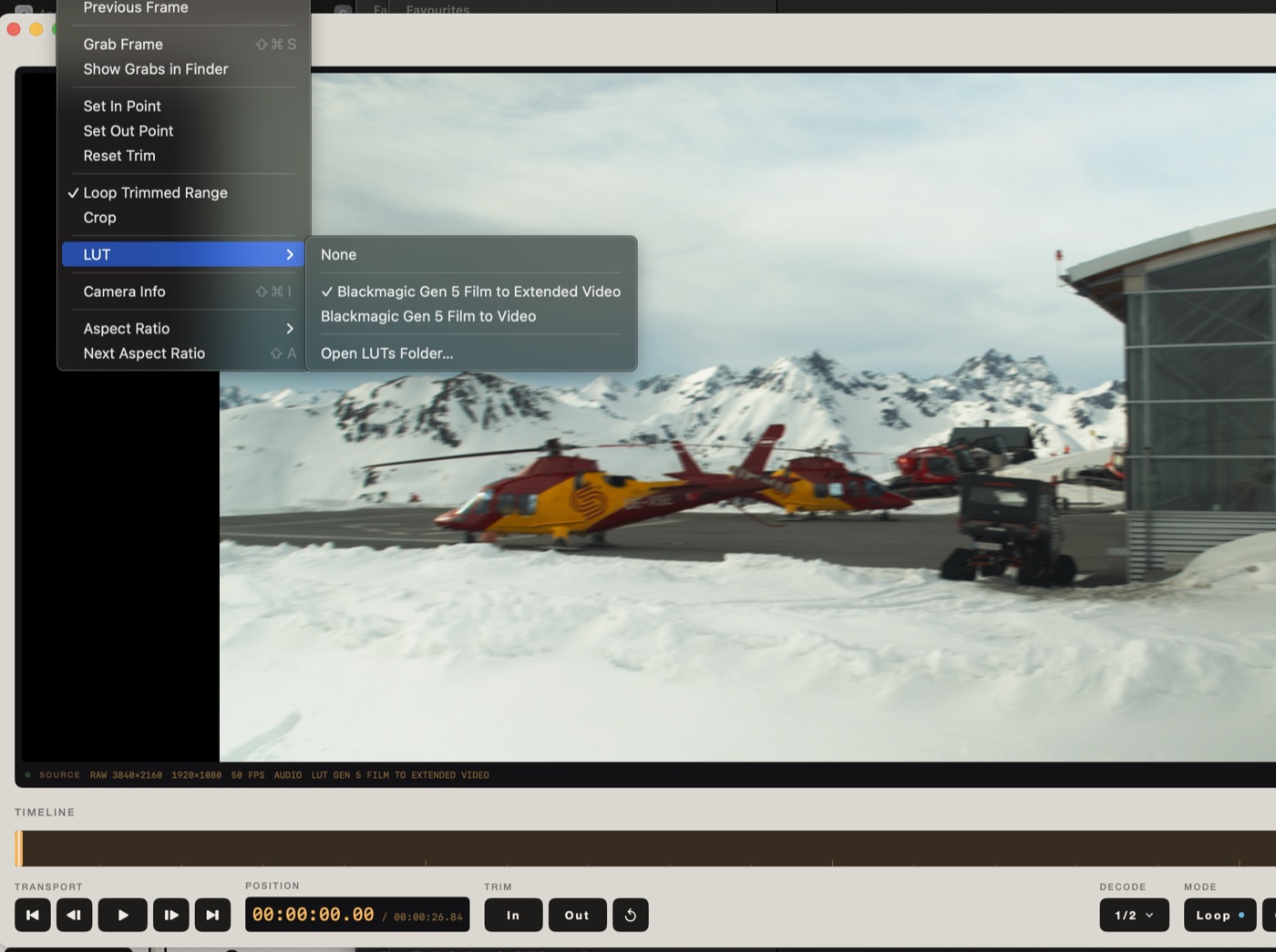
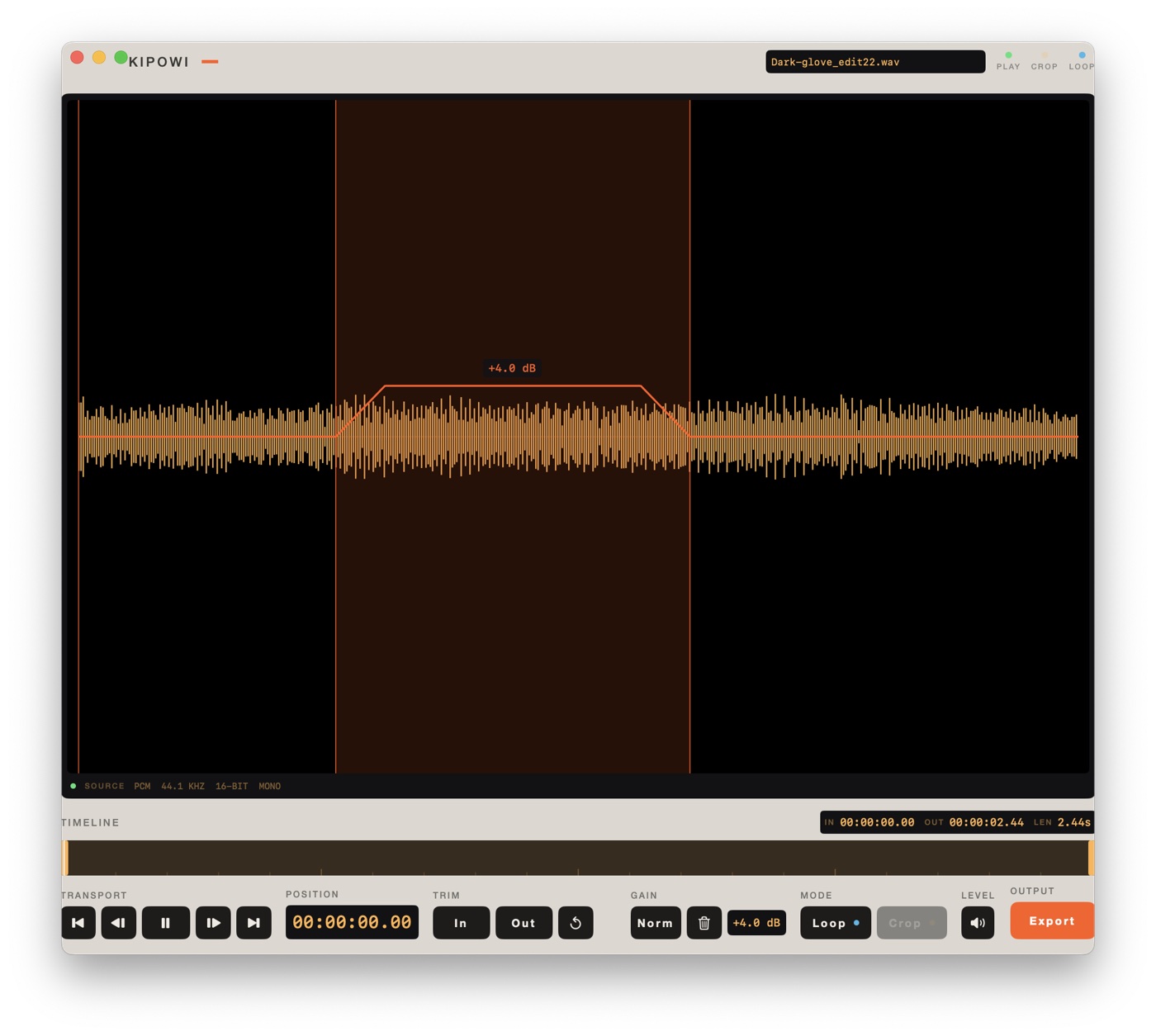
Alongside ordinary video and audio it also reads MKV, Blackmagic RAW, folders of numbered frames, and single images. Every source gets the same transport, the same trim handles and the same export panel. What changes is only what genuinely differs: an audio file has no crop, a RAW clip gains a decode-quality control, a folder of frames is asked the one thing stills cannot tell you, which is the frame rate, and a single image has no transport at all because it has no length, so it gets an image editor instead.

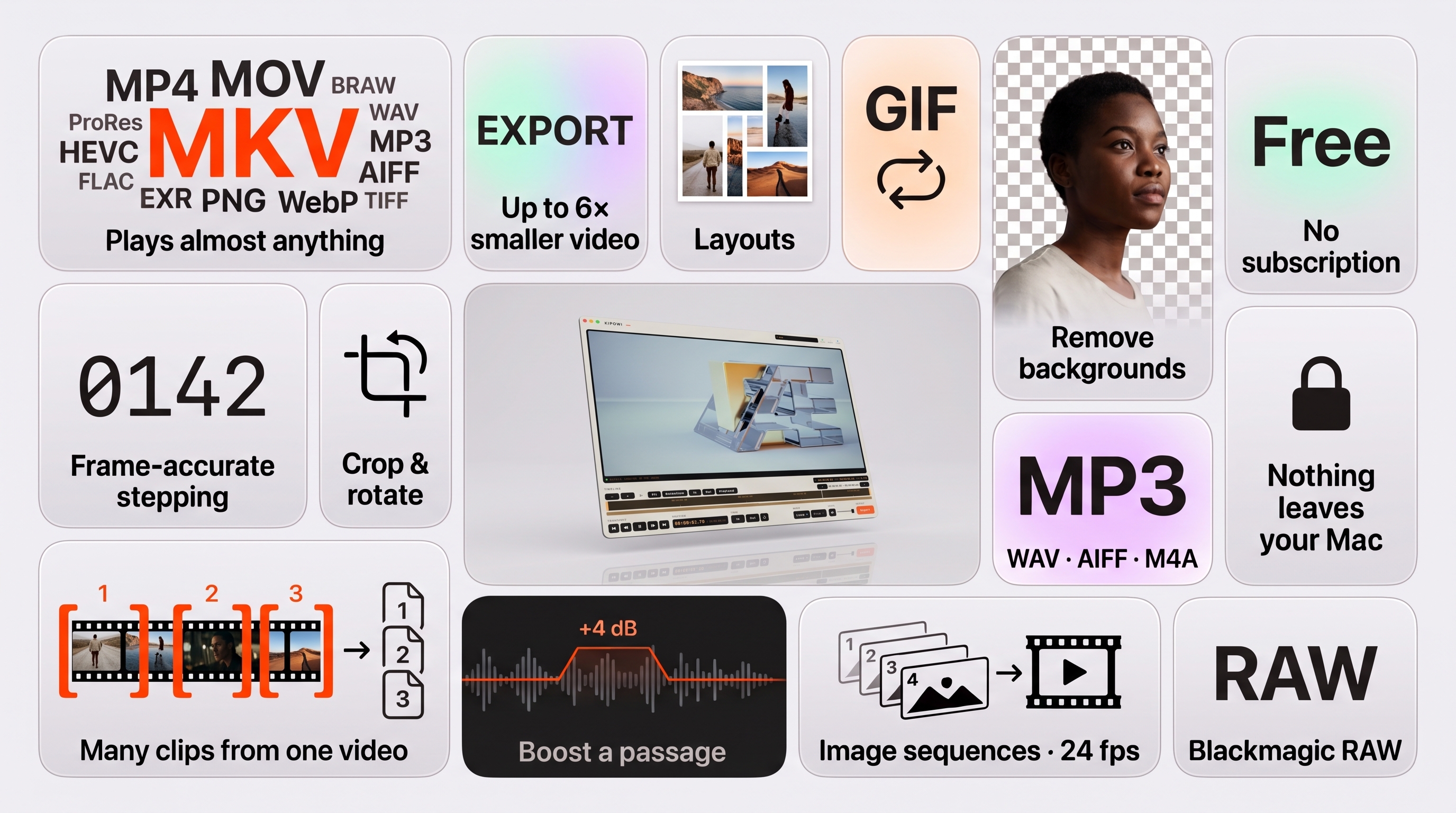
An overview of Kipowi's features in a grid of tiles. Plays anything: a player surrounded by MKV, MP4, MOV, FLAC, BRAW and EXR tags. Trim and export: a film strip with a marked section sent out on its own. Make files smaller: a large film canister beside a small one, 1 GB to 150 MB. Remove backgrounds, privately: a portrait cut out on a checkerboard, marked on-device. Layouts: a collage of photographs beside a set of grid patterns. Video to GIF: a film strip curled into a loop. Crop and rotate: a sideways frame turned upright inside crop handles. Audio: a waveform with a raised, normalized section. For pros: a Blackmagic RAW file and a stack of numbered render frames.
Everything above, and what you can do with it, on one page.

Edits

Four, and no more.

The timeline zooms, which is not a fifth edit but is what makes the first one usable on a long film. Pinch it, or press + and −, until a handle can be placed on the frame you actually meant. Fit puts the whole movie back, and the overview strip underneath pans you around without moving either the trim or the playhead.

Stepping a frame at a time lands on the frames that were actually recorded, including on a clip whose rate wanders, and the frame number sits next to the running time. A long film reserves enough digits for its own length, so the number does not jump about as it counts up. An MKV shows a dash there rather than a guess; ordinary video and Blackmagic RAW give the exact frame.

Multiple selections is an optional mode for taking several pieces out of one file. Add a selection, adjust its handles, and switch between the numbered ones to go back and change any of them. Export All writes each as its own numbered file in a new folder, with the same crop, rotation and format throughout. Stopping it part way keeps the files already written. Like the orientation, the selections belong to the open file: they are gone when another file is opened, and they are not saved when the app quits.

Keyboard

Space · play ← → · one frame ⇧← ⇧→ · one second J L · five seconds I O · in and out C · crop M · mute ⌘E · export

Images

Editing a single image.

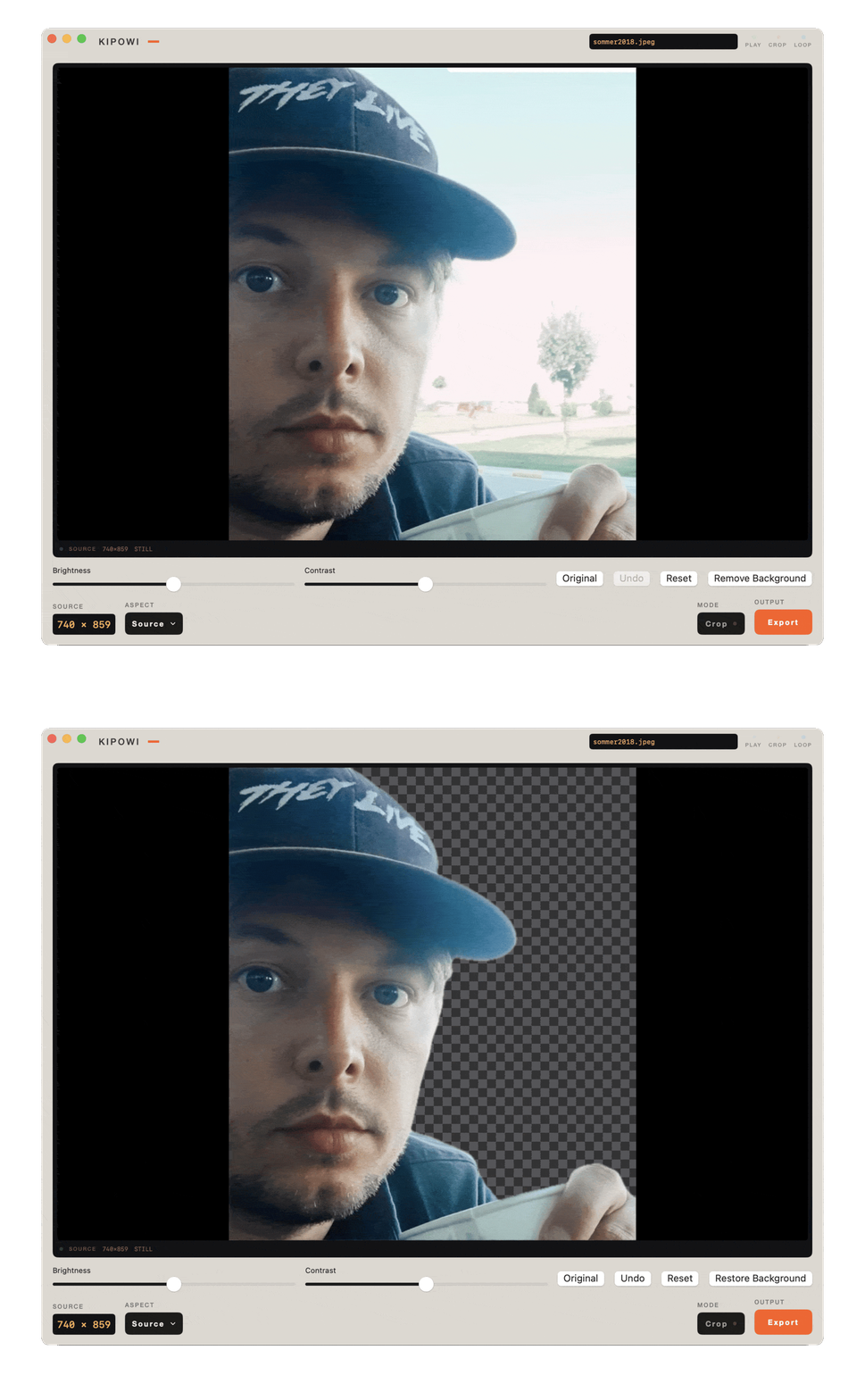
Open one image and Kipowi is an image editor. Crop it, adjust brightness and contrast, and remove the background. Original shows the picture you started with, Undo steps back, and Reset returns to the untouched file. Export writes a new file: PNG, TIFF or TGA, at full or half size.

Remove Background runs on your own machine, through Apple Vision. Nothing is uploaded and there is no model to download first. What it cuts away shows as a checkerboard, the cutout exports as a transparent PNG, and Restore Background puts it back.

The Kipowi image editor flipping between two states of the same photograph of a man in sunglasses on a boat. First the whole picture, with sky, sea and the boat's wake behind him. Then the same frame with the background gone, a grey checkerboard in its place and only the man left. Brightness and contrast sliders sit along the bottom with Original, Undo and Reset, and the button on the right changes from Remove Background to Restore Background.
Before and after. The checkerboard is what comes out transparent in the exported PNG, and Restore Background puts the background back.

Export

It says what it will do first.

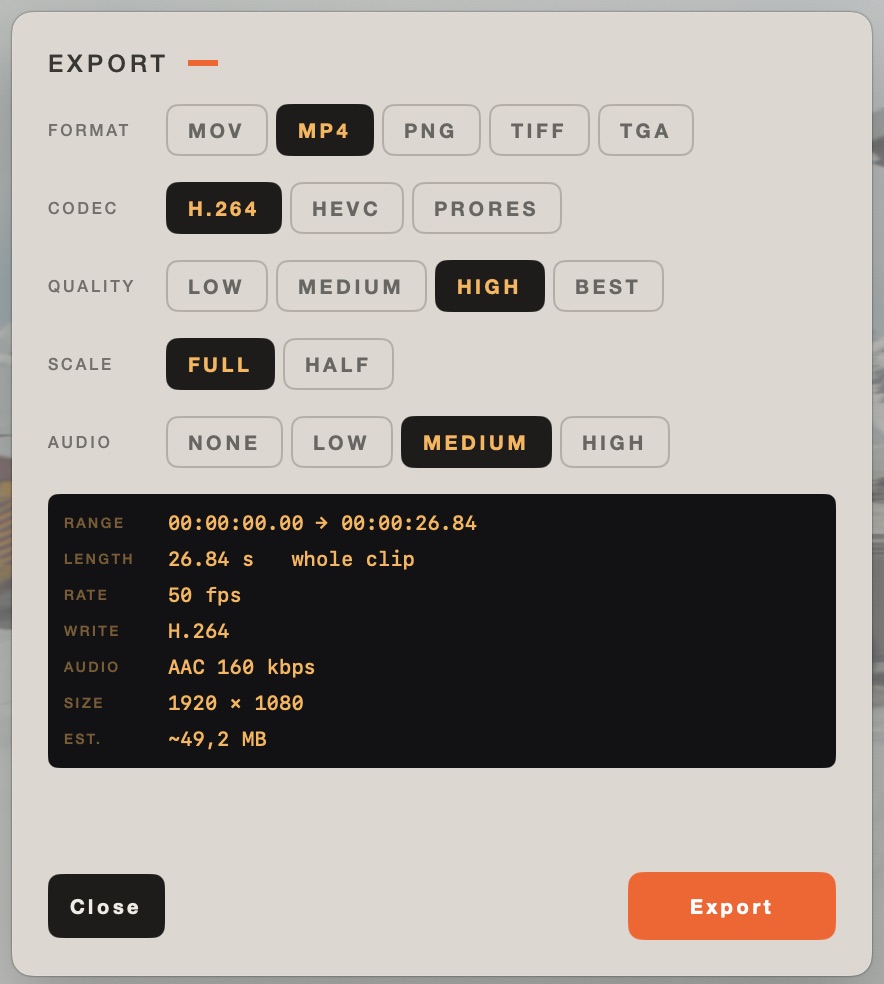
The panel states the range, frame rate, output size and estimated file size before it starts, and hides every control that has no meaning for the file in front of it. An audio file is not asked about codecs. A frame stack is not asked about audio.

The export panel: format MOV, MP4, PNG, TIFF or TGA, codec H.264, HEVC or ProRes, quality low to best, scale full or half, audio none to high, and a summary block listing range, length, rate, codec, audio bitrate, size and estimated file size.
The summary block is filled in before you press Export, not after.

Limits

What 0.8.4 does not do.

Under the hood

One engine, two front ends.

Decoding and encoding live in a library with no interface, driven by an AVAssetReader and AVAssetWriter pipeline rather than a canned export preset. That is what lets codec, container, crop and scale be chosen independently instead of picked off a fixed list. Orientation, crop, scale and output cadence resolve in one shared place, so the movie exporter and the frame-stack exporter cannot disagree about framing.

The same engine has a command-line front end, which is also how the export paths are tested. 55 unit tests cover decode, export, LUT parsing, geometry and grabs.

Built with

Swift 6 SwiftUI AVFoundation VideoToolbox ImageIO Blackmagic RAW SDK Claude Code

Download

Version 0.8.4, free.

Installing

Open the disk image and drag Kipowi to Applications. It is signed with a Developer ID certificate, notarised by Apple and stapled, so it opens without a Gatekeeper warning even on a machine that is offline.

Needs macOS 14 or later. Universal for Apple silicon and Intel. The download is 71.0 MB, most of which is the MKV decoder and the encoders — that weight is the reason there is nothing to install alongside it. No VLC, no FFmpeg, no Homebrew, no codec pack.

0.8.4 finishes the sound settings on every kind of export. WAV and AIFF can be written at 24, 16 or 8 bits as well as at the source's: eight is the lo-fi one, a quarter of the size of 32-bit float and audibly grainy, and it measures within a tenth of a decibel of everything eight bits can do. A movie's soundtrack gets the same rate and channel settings as a sound file, which matters more than consistency — Kipowi used to write every movie as stereo at 48 kHz whatever went in, and said nothing about it. Cut out works properly on a sound file now: the waveform is redrawn for the clip that is left, level moves follow the sound rather than staying where they were, and the exported file is the cut version, which it was not before. And the export panel is three groups — file, picture, sound — instead of one long list of rows. 0.8.3 let you choose the sample rate and the channels when exporting sound. Leave the rate at the source's or write 44.1 or 48 kHz: converting is a real resample, so the pitch and the length stay exactly where they were and only the number of samples per second changes. Mono sums both sides rather than dropping one, so a part panned hard to one side does not disappear. Both default to whatever the file already is, because not converting is always the most faithful option. 0.8.2 made short samples workable. On a sound effect or a single word — well under a second — an area could not be marked at all: a level region swallowed every drag that began inside it, and once one mark covered most of the clip there was nowhere left to start. A level is taken hold of by the band that shows it now, so the rest of the waveform stays free to mark. The shortest mark, and how far the timeline zooms, scale with the clip instead of stopping at a flat twenty milliseconds, and under a second the readouts are in milliseconds, where hundredths could not tell one selection from another. 0.8.1 fixed three things about marking a sound. Marking no longer leaves a band behind each time: a level region sitting at zero changes nothing about what gets written, so it is the mark and nothing more, and a new mark clears it — pull it to a level and it stays. A selection and a level edit no longer look alike either: the stretch in hand is the full-height frame, while a level region is a band whose height is the change itself, nothing at zero and a tall block at +12 dB. And undo reaches the sound, which it never did — levels, marks and cuts share one undo now, so Command-Z takes back whatever you did last. 0.8.0 was about sound. A meter on the picture shows peak and LUFS, so how loud a clip really is stops being a guess; loudness normalize brings a quiet video up on export, and the soundtrack can be taken out as its own file or dropped. The waveform zooms with the timeline, reading the detail off the file rather than stretching it, so you can pick exactly the piece you want. A marked stretch is drawn as a frame rather than a faint wash — on a dark screen the wash measured about 1.1:1 against the background where a control should reach 3:1 — and it follows the system's Increase contrast setting. 0.7.1 joined the waveform and the timeline up: drag across the waveform to mark a part of a sound and it sets the in and out points and gets a gain region ready to pull. 0.7.0 can take a section out of a clip: mark in and out, press Cut out, and the timeline shortens while playback skips it. It also plays VP9 and AV1 video inside ordinary .mp4 files, opens a spritesheet and plays it, saves a picture's changes back into the file it came from, and exports pictures at an exact size with presets. On 0.5.1 or later, use Kipowi › Check for Updates; on 0.5.0 or earlier, install this version once by hand. If something is wrong, tell me.

Source code for the bundled media components

Kipowi carries VLC, VLCKit, FFmpeg and LAME inside the app. Their licences require the matching source to be available next to the binary, so it is: Kipowi-0.8.4-Sources.tar.xz (216 MB), with the patches, dependency sources and build recipes.

You do not need it to run Kipowi. The notices themselves are in the app under Kipowi › Media Component Licenses.